

Everyday use
Bulk apply
Set GARAN years and brand across a whole collection or tag, check what would change first, and clear a bulk change.
Bulk apply sets the GARAN fields on every product in a collection or with a tag, in one step. It is part of Assay Professional. On other plans, the Apply to many products card explains what it does and links to the plans; you can still set labels one product at a time.
Run a bulk apply
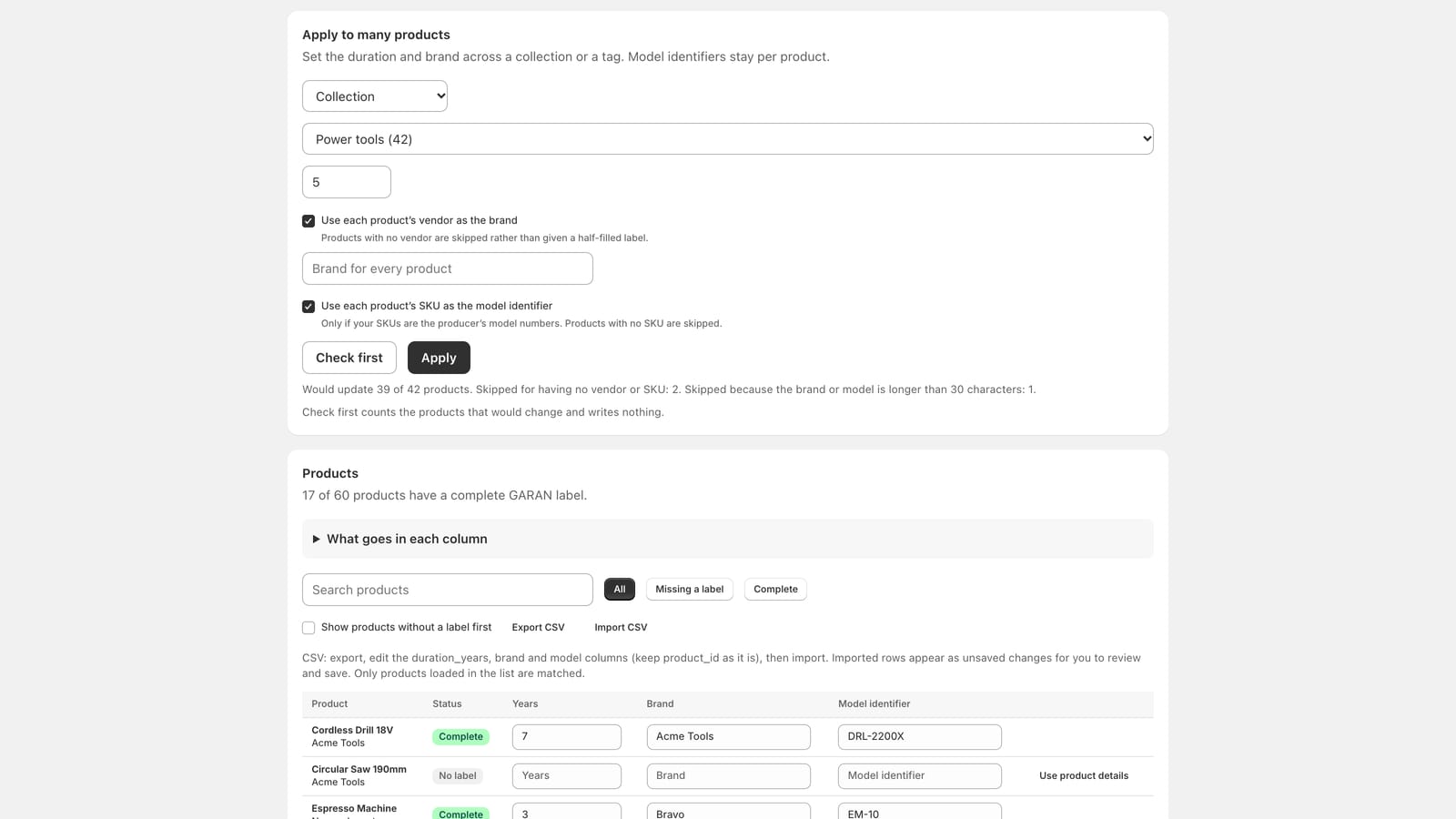
In Assay, open GARAN labels. The Apply to many products card is near the top.
- Choose Collection or Tag, then which one.
- Enter the Years of the producer’s guarantee: 3 or more.
- Choose the brand:
- Use each product’s vendor as the brand (on by default). Products with no vendor are skipped rather than given a half-filled label.
- Or turn it off and type one Brand for every product.
- Optional: Use each product’s SKU as the model identifier. Only if your SKUs are the producer’s model numbers. Products with no SKU are skipped.
- Click Check first. It counts the products that would change and writes nothing.
- If the result looks right, click Apply.
What it changes, and what it does not
- It sets years and brand on every product in scope, and the model identifier only if you chose to take it from the SKU.
- Without the SKU option, model identifiers stay exactly as they are on each product. A product that already had its model set ends up with a complete label; one without stays Incomplete until you add the model.
- Products are skipped, never half-written, when the vendor or SKU you asked for is missing, or when the brand or model would be longer than the label’s 30 characters. The result line says how many and why.
- On a very large catalogue the run can stop early and say so; run it again to continue.
Clear a bulk change
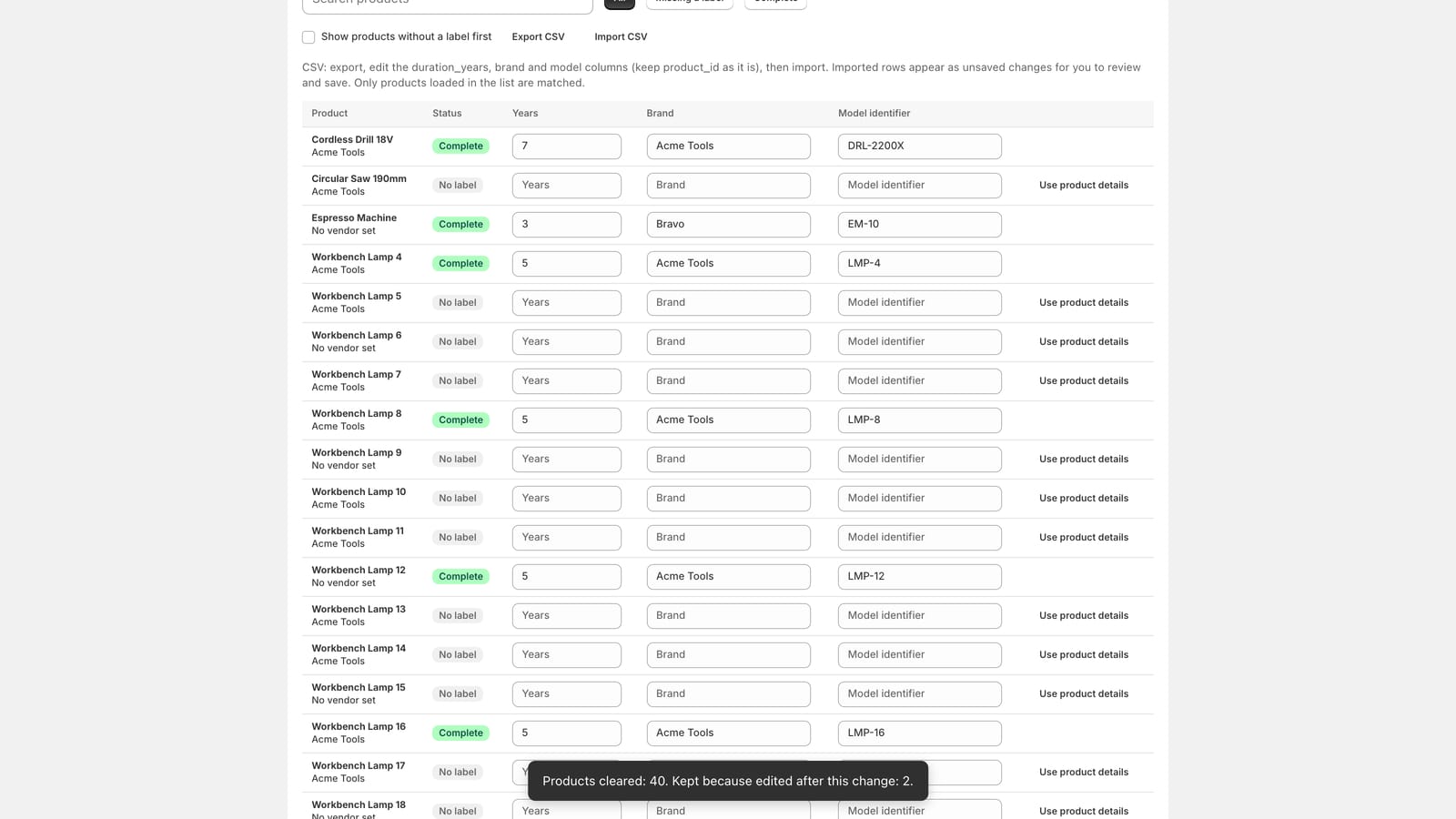
Every bulk apply is listed under Recent bulk changes, with how many products it touched. Clear undoes it:
- It removes only the fields that change wrote.
- It leaves alone any field you have edited since. The confirmation says how many products it kept for that reason.
- It clears; it does not restore what was there before, because Assay does not keep a copy.
- A change can be cleared once, and then leaves the list.
Not answered here? Email [email protected] with your shop's myshopify.com address. We usually reply within one business day.