

Shopify app · EU Regulation 2025/1960
The EU legal guarantee notice, on every product page.
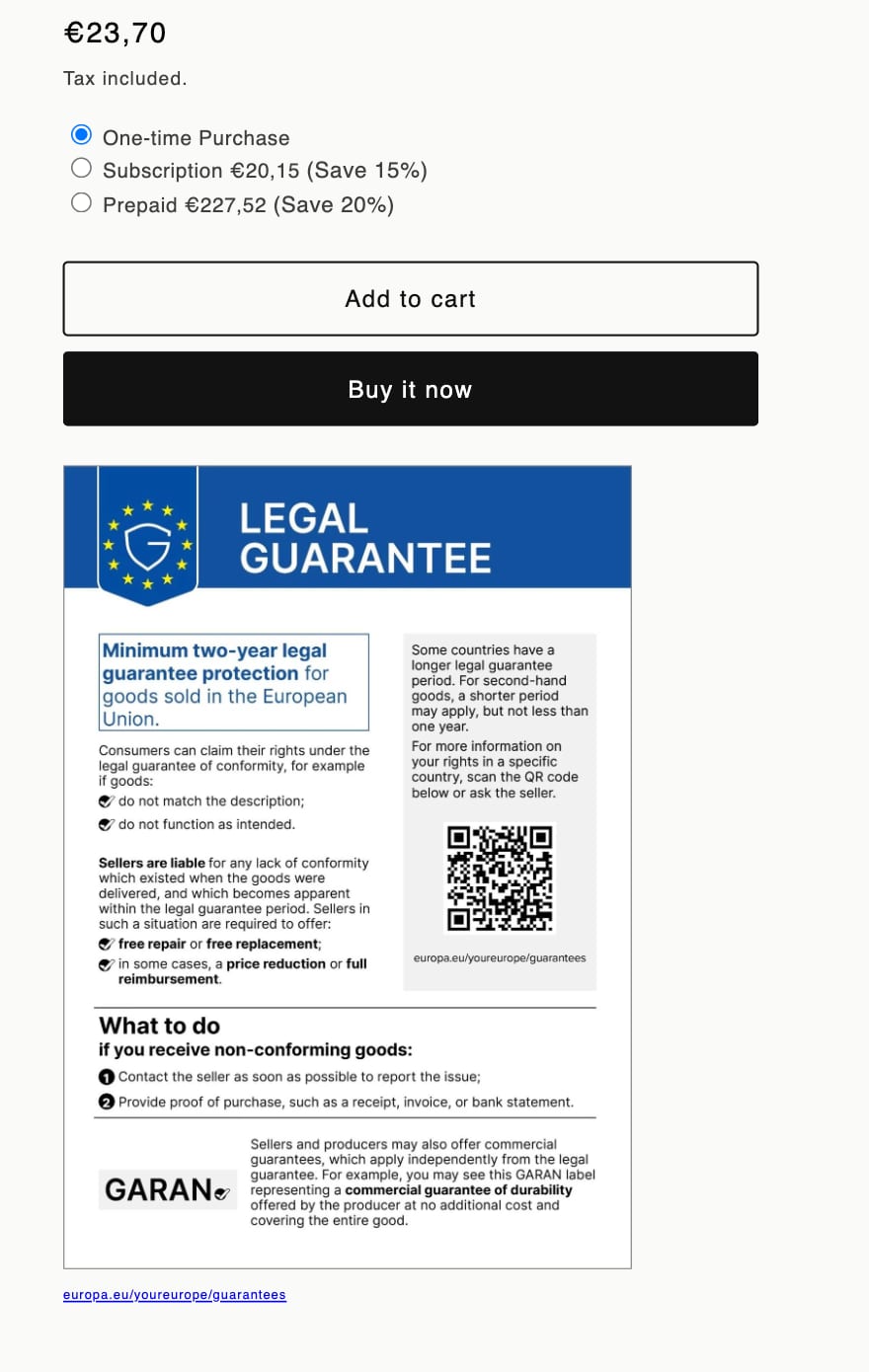
From 27 September 2026, shops selling goods to consumers in the EU must show a harmonised legal guarantee notice before purchase. Assay puts it on your product pages, in each shopper’s language, using the artwork from the Official Journal.
- In force
- 27 September 2026
- Languages
- All 24 official
- Artwork
- Official Journal
- To comply
- Free plan
What the law asks
One notice, fixed by the EU, in the shopper’s language.
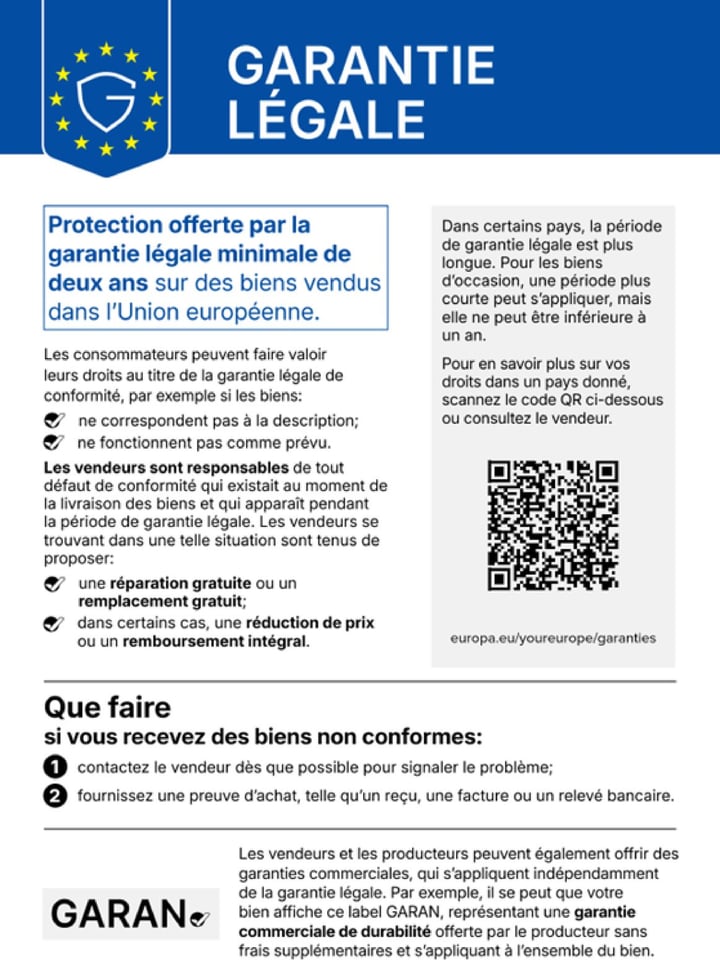
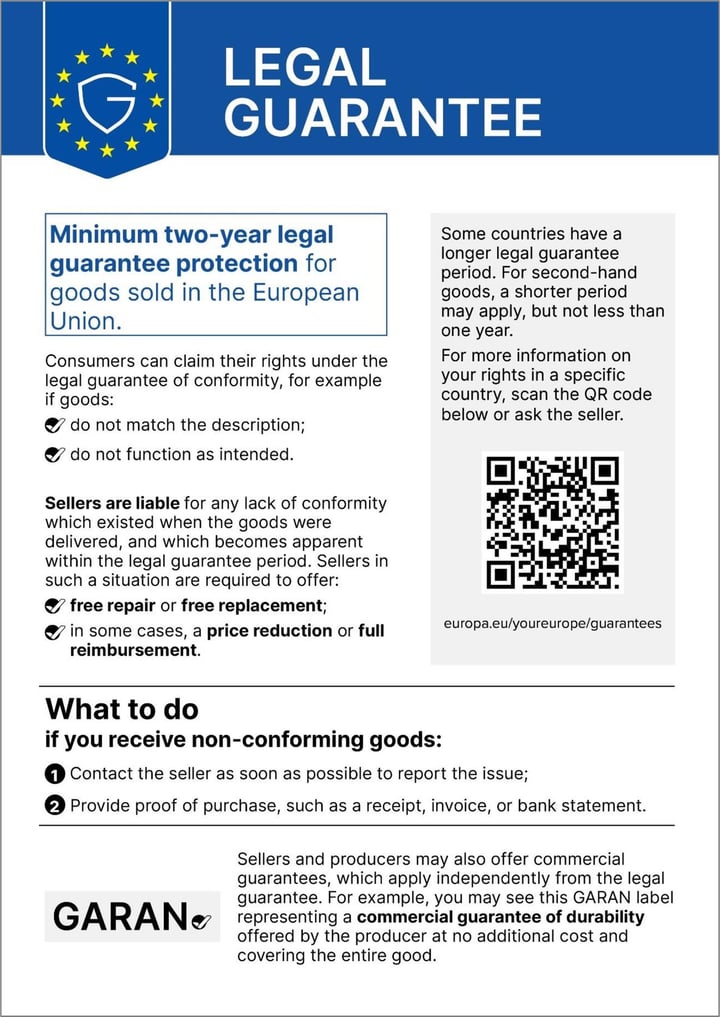
Commission Implementing Regulation (EU) 2025/1960 sets out a harmonised notice that tells consumers about their minimum two-year legal guarantee for goods sold in the EU. Sellers must show it before purchase, and none of its elements may be edited.
The same regulation defines the GARAN label, for products whose producer gives a commercial guarantee of durability of more than two years, free of charge, covering the whole good.
Assay is a tool for displaying these artefacts. It is not legal advice. Read the regulation on EUR-Lex.

Setup
Compliant in about five minutes.
- 1
Install Assay
It creates the GARAN product fields and switches the notice on for you.
- 2
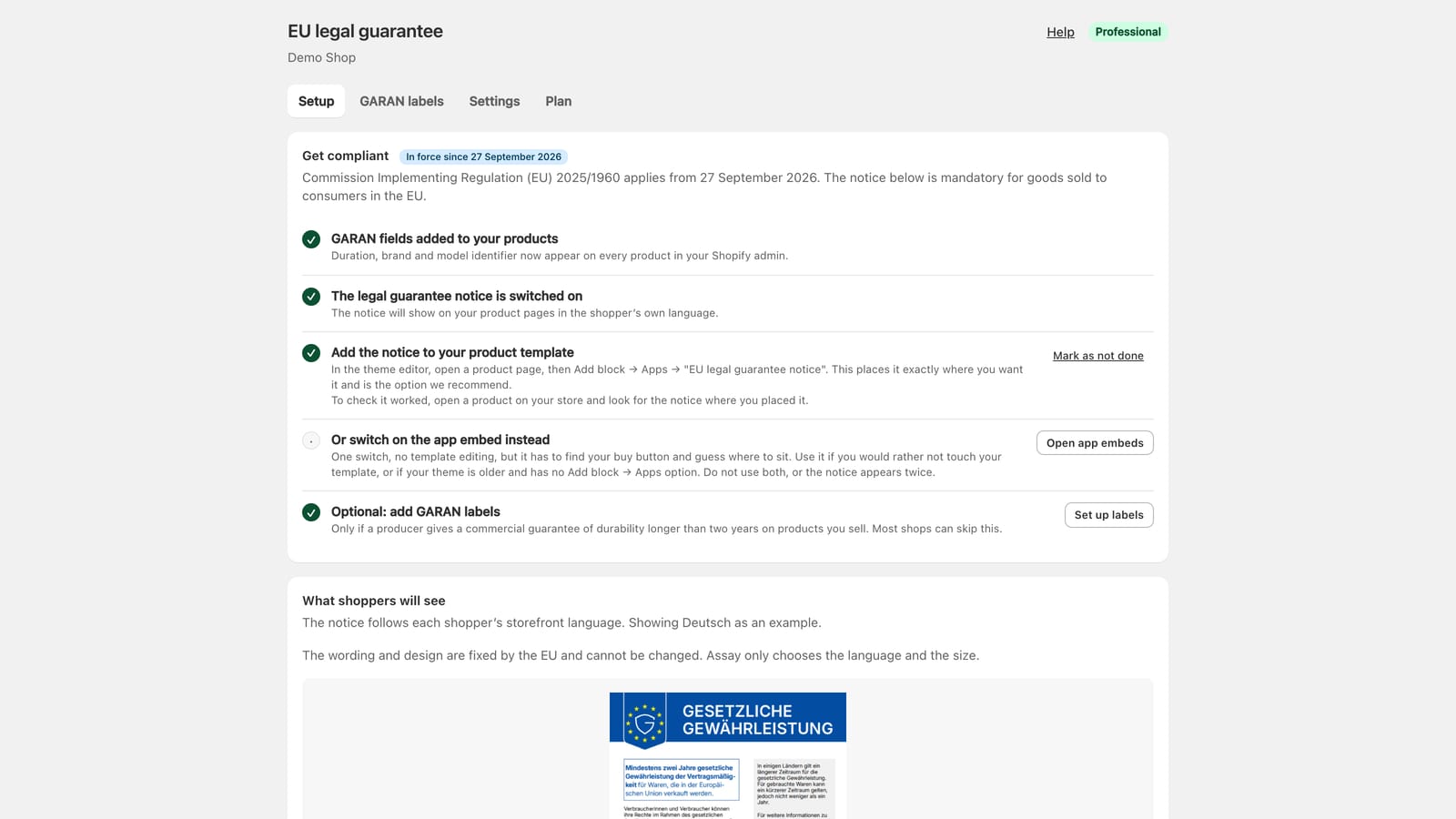
Add the notice block to your product template
In the theme editor: Add block, Apps, “EU legal guarantee notice”, under the buy buttons. Or switch on the app embed instead.
- 3
Check a product page
The notice shows in the shopper’s language. Tick it off in Assay’s Setup screen.
Everything the notice needs, and the GARAN label when it applies.
Every EU language, matched for you
The notice follows each shopper’s storefront language across all 24 languages the EU publishes it in. A fallback you choose covers everyone else.
The official artwork, never redrawn
The regulation says no element of the notice may be edited. Assay shows the image published in the Official Journal, exactly as published.
GARAN labels that stay lawful
Set the durability guarantee years, brand and model per product. A label only appears when all three are set and the guarantee runs longer than two years.
Bulk apply across a catalogue
Label a whole collection or tag in one step, see what would change before anything is written, and clear a change with one click.
A live preview of what shoppers see
Settings shows the notice and label drawn from the same files your storefront uses. Leave out gift cards, services or anything else by type or tag.
No weight on your storefront
The notice ships as a theme app extension and the artwork is served by Shopify’s CDN, so shoppers’ browsers never contact our servers.
The 24 languages: Български · Čeština · Dansk · Deutsch · Ελληνικά · English · Español · Eesti · Suomi · Français · Gaeilge · Hrvatski · Magyar · Italiano · Lietuvių · Latviešu · Malti · Nederlands · Polski · Português · Română · Slovenčina · Slovenščina · Svenska.
A worklist for GARAN labels
Every product with its status and three fields. Rules are checked as you type, so a two-year guarantee is caught before it is saved. Edits save together from Shopify’s own save bar, with Undo.
GARAN labels guide →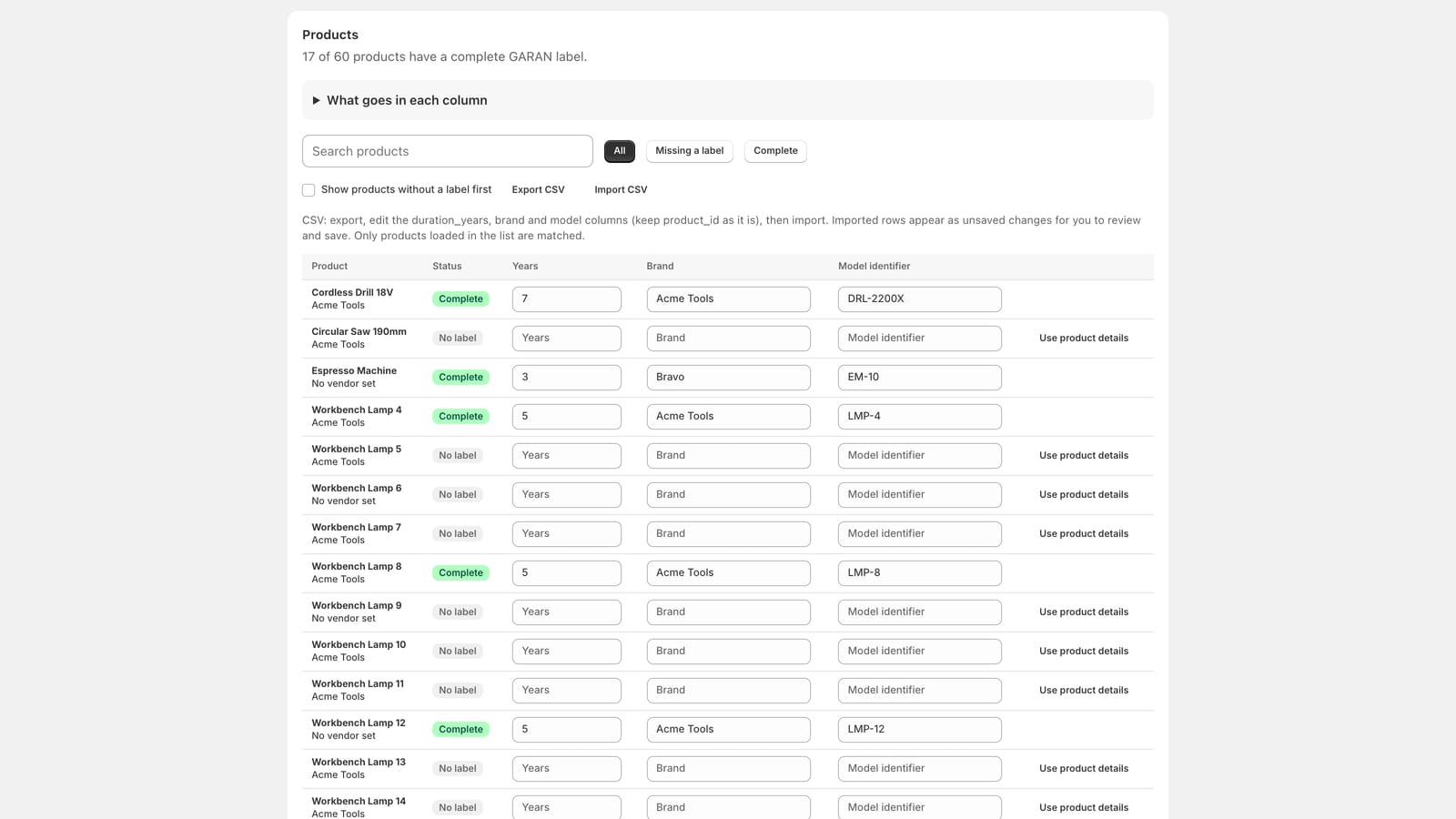
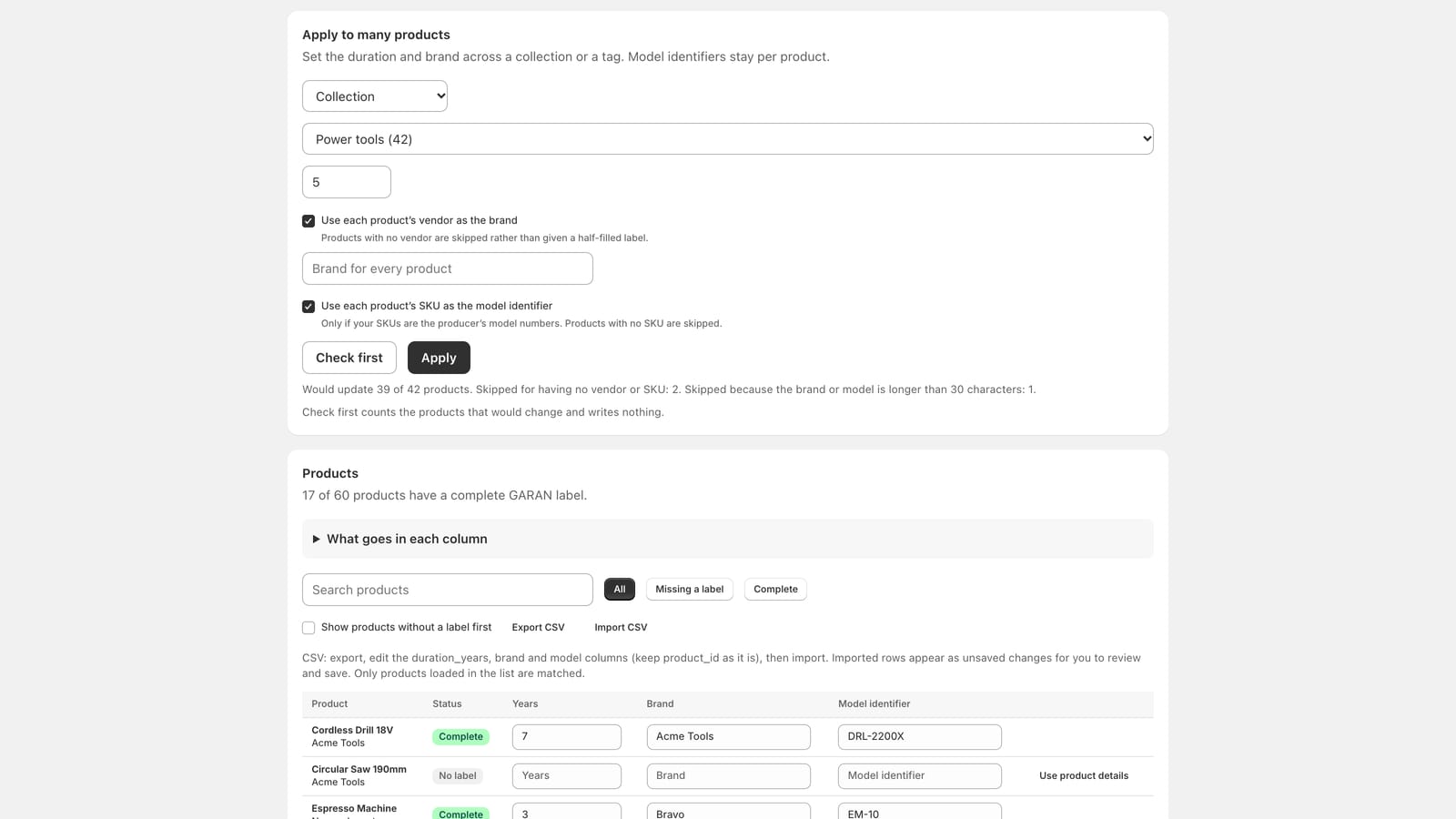
Bulk apply, with a dry run first
Set the guarantee years and brand across a collection or tag. Take the brand from each vendor and the model from each SKU if you want. Check first writes nothing; every bulk change can be cleared later.
Bulk apply guide →Settings you can see
Language, fallback, width and products to leave out, beside a preview built from the same artwork your storefront uses.
Settings guide →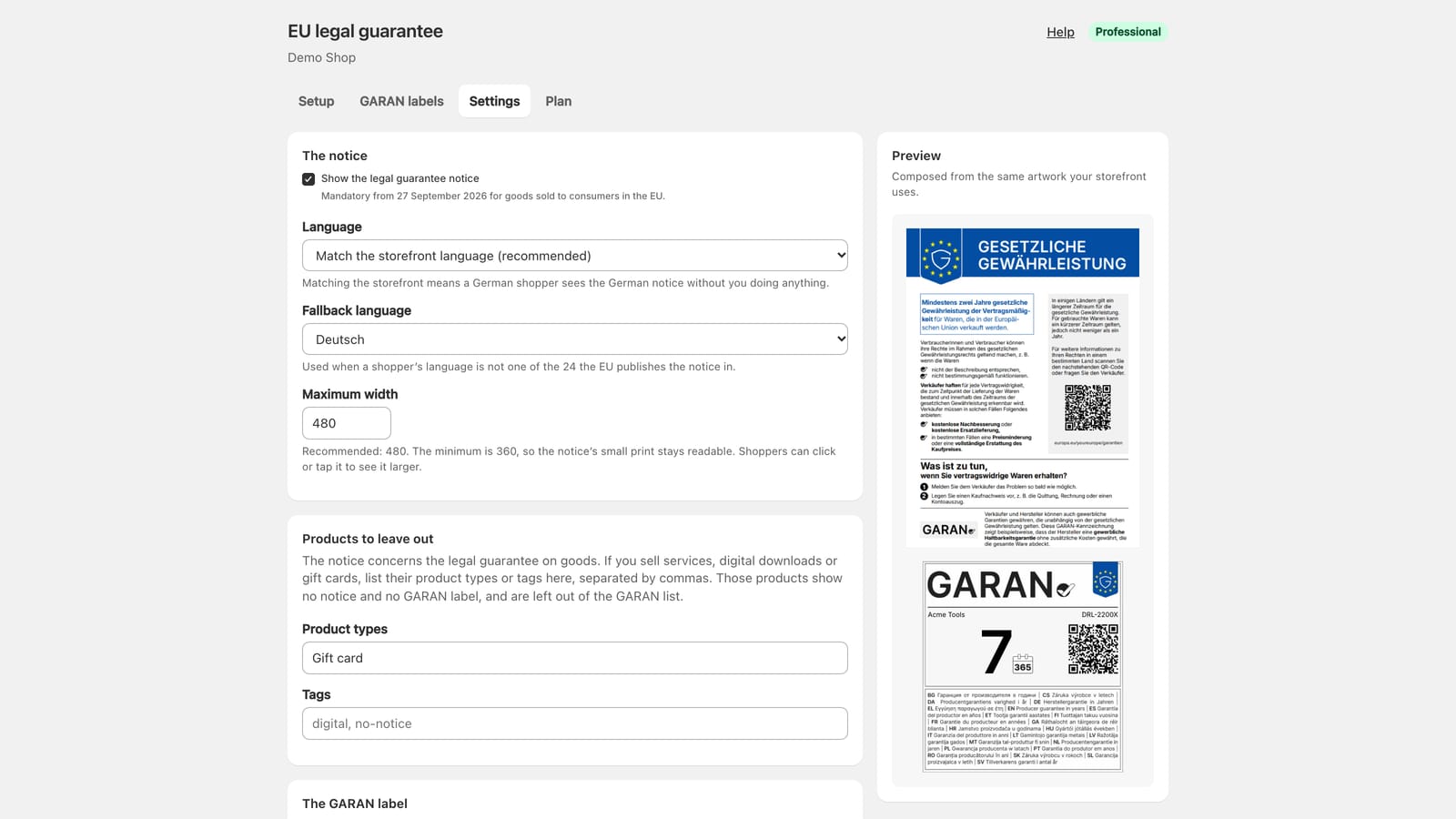
Free covers what the law requires.
The mandatory notice, in every EU language, on unlimited products, with no branding. Paid plans save time and add layout options; you do not need one to comply. Paid plans start with a 7-day free trial and are billed through Shopify; prices are on the App Store listing.
Free
Everything the law requires.
- The mandatory legal guarantee notice
- Unlimited products
- All 24 EU languages, matched automatically
- No watermark, no branding
- GARAN labels set one product at a time
Starter
Layout control in the theme editor.
- Everything in Free
- The compact GARAN label, which opens in full on click or hover
- Size, alignment and spacing controls in the theme editor
Professional
GARAN labels across a whole catalogue.
- Everything in Starter
- Bulk apply GARAN by collection or tag
- Brand from each product’s vendor, model from its SKU
- A record of every bulk change, with one click to clear it
Questions merchants ask
More in the help centre, or email [email protected].
Do I have to show this notice?
If you sell goods to consumers in the EU, yes. Commission Implementing Regulation (EU) 2025/1960 requires the harmonised legal guarantee notice from 27 September 2026, before the contract is concluded, which for an online shop means on the product page. Whether and where it applies to your business is a question for your own advisers; Assay is the tool that displays it.
Can I change the wording or the design?
No, and neither can we. The regulation says none of the notice’s elements may be edited. Assay chooses the language and the size, nothing else.
Which language will my shoppers see?
The one your storefront is showing them, when it is one of the 24 official EU languages. Otherwise the fallback language you choose in Settings. You can also fix one language for every shopper.
What is the GARAN label, and do I need it?
GARAN is the EU’s label for a producer’s commercial guarantee of durability: free of charge, covering the whole good, for more than two years. It is optional, and only lawful when such a guarantee exists. Most shops can skip it.
Does Assay slow my store down?
No. The notice is a theme app extension, its artwork comes from Shopify’s CDN, and the storefront never calls our servers.
What does Assay have access to?
Your products, to read them and to save the GARAN fields on them. Nothing about your customers or orders, and it never edits your theme’s files.
Put the notice on your store today.
Install, add one block, done. 10 guides walk you through the rest.